
Table of Contents
Offers are the core of any affiliate program. At Alanbase, we’ve rethought how offers should work and turned them into a flexible, powerful tool that makes affiliate marketing for iGaming brands simpler and more efficient.
What is an offer in Alanbase?
An offer is a combination of goals (what the affiliate drives traffic to), payout rates and models, qualifications and KPIs, geos, allowed traffic sources, and advertiser promo materials.
Inside Alanbase, an offer is always linked to a product.
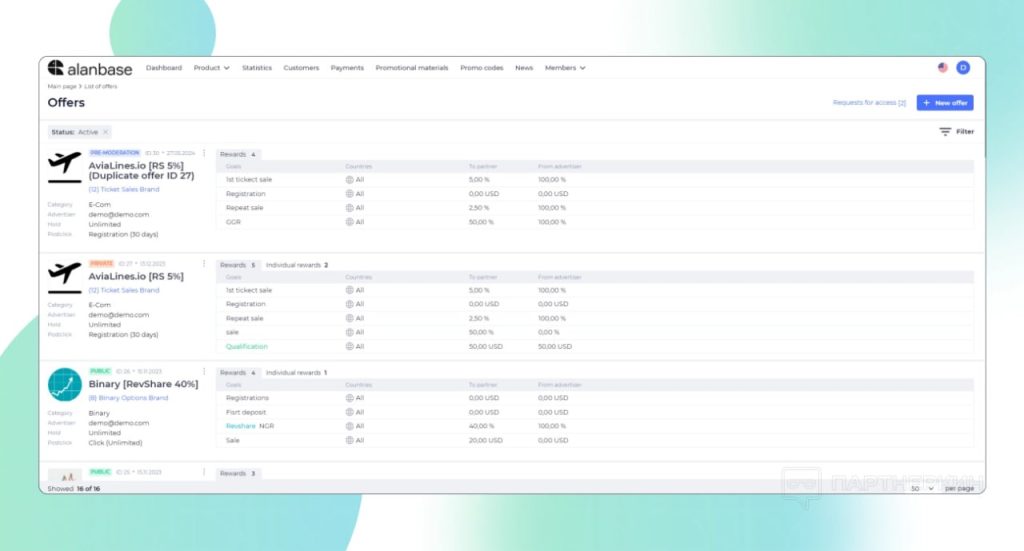
Each offer includes:
- Conditions: payout type, rates, qualification rules
- Links: tracking domain and target URL
- Targeting: countries, devices, OS
- Restrictions: caps, limits, and access rules
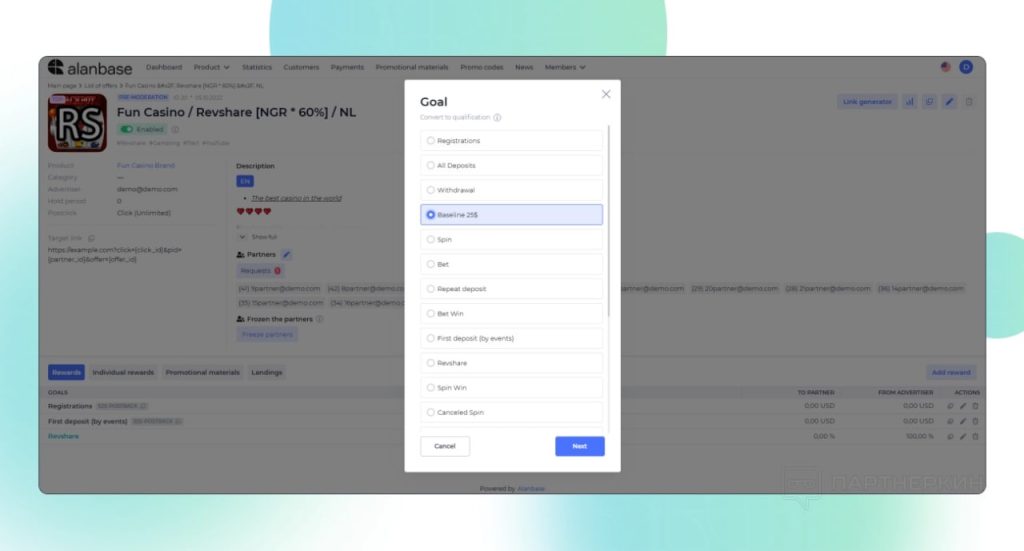
What can you configure inside an offer?
Here are the key elements available when creating an offer:
- Name and type (public, private, pre-moderation)
- Product it belongs to
- Tracking domain (for generating affiliate links)
- Target URL (where referral traffic lands)
- Description and avatar
- Tags for quick navigation (by vertical, traffic source, etc.)
- Hold period
- NCO / NNCO settings (enable/disable negative carryover)
Even if you’ve never created an offer before — the process is intuitive. For full transparency, our support team provides onboarding calls, a detailed platform guide, and live chat assistance.
Step-by-step: creating an offer in Alanbase
Step 1. Create a product
Before creating an offer, you need a product (e.g. Casino, Betting, etc.).
Step 2. Create an offer
- Set name and type (public, private, pre-moderation)
- Select the product
- Add a tracking domain
- Set the target URL
Step 3. Configure conditions
- Add goals: registration, first deposit, etc.
- Set targets and payout formulas
How it works:
- CPA / Hybrid:
A goal defines what counts as a conversion (e.g. registration, first deposit, $20 deposit). You can set multiple goals at once. - RevShare:
Based on GGR or NGR calculations, you assign a percentage (e.g. 30% of NGR). This gives you flexibility to match your business logic.

Qualifications:
For example: first deposit + minimum deposit $25.
The affiliate gets paid only when both conditions are met — helping you filter higher-quality traffic.
You can also apply rules by country, city, device type, or OS.
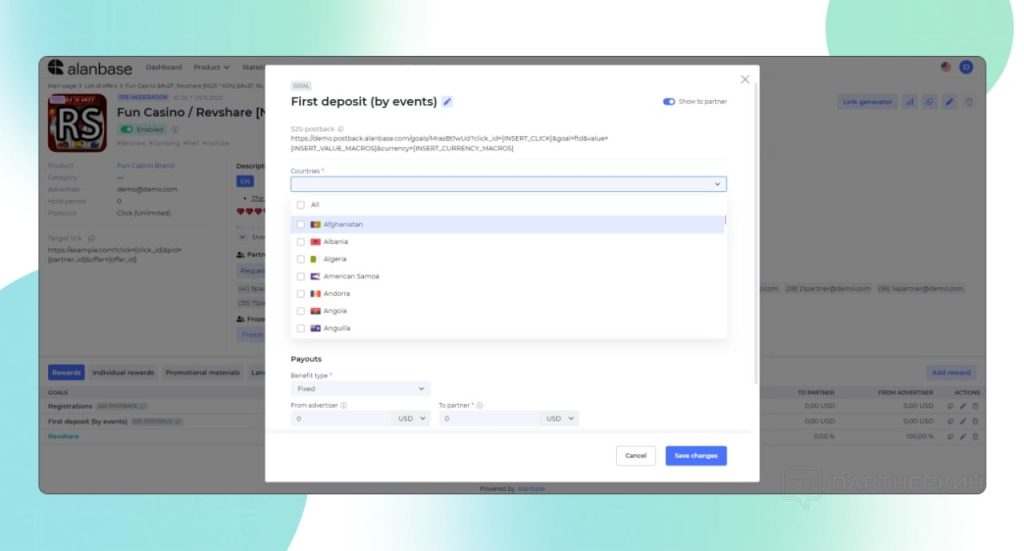
Qualifications:
For example: first deposit + minimum deposit $25. The affiliate gets paid only when both conditions are met — helping you filter higher-quality traffic.
You can also apply rules by country, city, device type, or OS.
Step 4. Individual conditions & access
Set custom conditions for specific partners.
Step 5. Add description and tags
Tags help quickly find offers by vertical, traffic source, geo, and more — especially useful when managing many offers.
Step 6. Add landings and postbacks
- Specify available landing pages
- Set up postbacks to track conversions
FAQ & useful features
- Can I add multiple landings to one offer?
Yes. Affiliates can choose the most relevant landing page for their traffic. - Can I upload promo materials?
Yes. Upload banners and creatives with filters by language, geo, traffic type, and vertical. - Can I build custom hybrid models?
Yes. Fully flexible hybrid setups are supported. - Is bulk editing available?
Yes. Update multiple partners at once (e.g. links). - Are templates or cloning available?
Yes. Duplicate existing offers to launch new ones faster. - Can I limit actions?
Yes. Caps can be configured.
Conclusion
The offer system in Alanbase is more than just a feature — it’s a full-scale management engine for affiliate marketing, built for real market conditions.
Create offers easily, manage them flexibly, and build an affiliate program that delivers real results.
To explore Alanbase from the inside, book a demo call with our team and get a 14-day full-access trial — no credit card required.